For most U.S.-based educators, the three strongest alternatives to lessonplan.com.sg are Teachers Pay Teachers, Education Copilot, and Share My Lesson. Start with Education Copilot if you want a free, AI-generated first draft aligned to Common Core or NGSS within minutes. If you need a curated marketplace, TPT is the largest PreK–12 resource library available. And if budget is the constraint, Share My Lesson gives you free, professionally vetted plans plus a community of over 2.1 million members.
- Teachers Pay Teachers: Best for teachers who want a massive, searchable marketplace of ready-to-use resources across every grade and subject.
- Education Copilot: Best for ESL and general classroom teachers who need a standards-aligned draft fast, with export to Google Docs, Word, or PDF.
- Share My Lesson: Best for budget-conscious educators who want free, peer-reviewed plans and professional development webinars in one place.
Pro Tip: Before trialing any new platform, export your current lesson files from lessonplan.com.sg in an editable format (Google Docs or Word). That one step protects your work and cuts onboarding time on any new tool.
Table of Contents
- How the top alternatives compare at a glance
- Short reviews of each alternative and who should use them
- How to choose the right alternative for your teaching context
- How to migrate from lessonplan.com.sg without losing your work
- Key Takeaways
- Why the “best platform” question is the wrong one to start with
- Linda Mandarin offers structured adult Mandarin learning for professionals
- FAQ
- Useful sources and where to go next
How the top alternatives compare at a glance
| Platform | Best For | Free Tier | Content Types | Standards Alignment | Export/LMS | Migration Ease |
|---|---|---|---|---|---|---|
| Teachers Pay Teachers | PreK–12, all subjects | Yes (free items) | Lessons, worksheets, slides, assessments | Seller-tagged (CCSS, NGSS) | PDF, Word, Google Slides | Moderate |
| Lesson Planet | District/curriculum teams | Limited preview | Lessons, videos, activities | Educator-reviewed, CCSS | PDF, Google Classroom | Moderate |
| Education.com | K–6, general classroom | Yes | Worksheets, games, lesson plans | CCSS-aligned | PDF, printable | Easy |
| Planbook | K–12 planners, admin reporting | Trial available | Lesson plans, standards tags | State + national standards | PDF, Google Cal | Easy |
| Share My Lesson | Budget-focused, ESL | Yes (all free) | Lessons, PD webinars, activities | CCSS, NGSS | PDF, Google Classroom | Easy |
| BusyTeacher | ESL/EFL teachers | Yes (all free) | Worksheets, games, lesson plans | Minimal | PDF, printable | Easy |
| LessonPlans.com | General K–12 archive | Yes (all free) | Lesson plans (text-based) | Minimal | Copy/paste, PDF | Easy |
| Education Copilot | AI-assisted, all grades | Yes (free tier) | AI-generated plans, worksheets | CCSS, NGSS, TEKS, state | Google Docs, Word, PDF | Very easy |
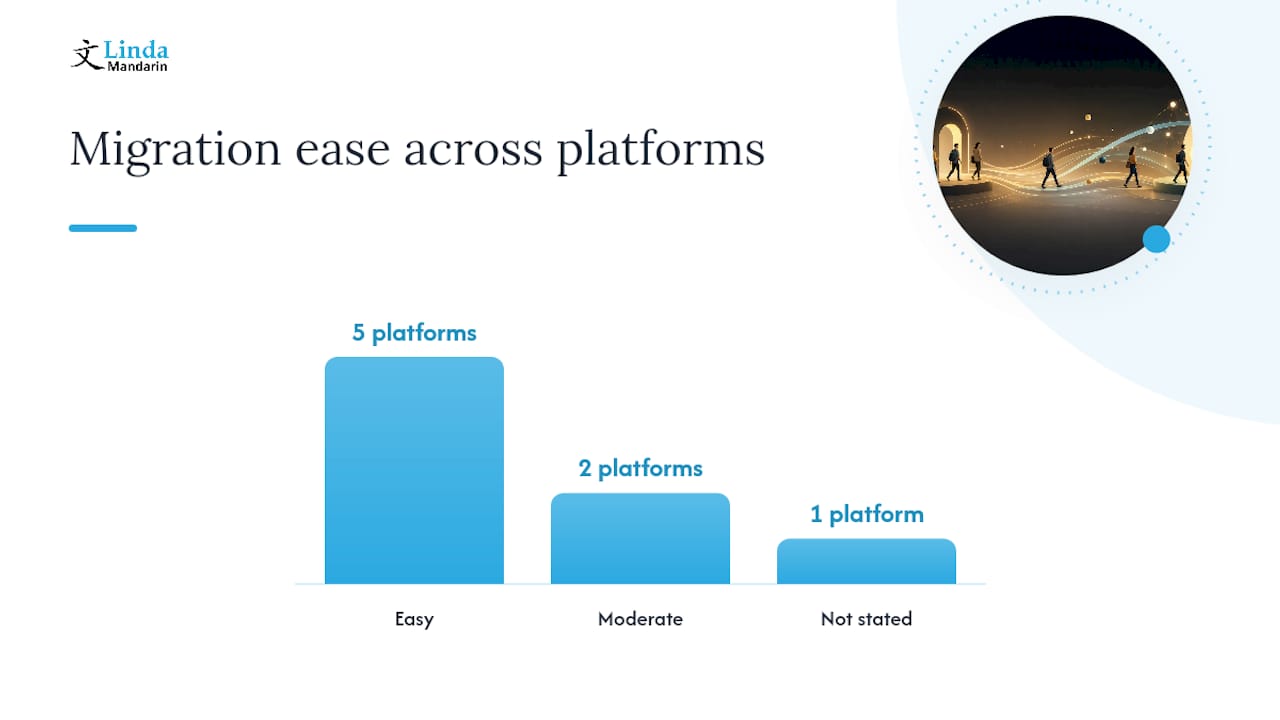
Trust signals worth noting: TPT’s marketplace is the largest PreK–12 resource community in the world, with millions of teacher-created items. Share My Lesson’s 2.1 million-member community includes contributions from the American Federation of Teachers. Education Copilot publishes its standards alignment claims on its product page, including CCSS, NGSS, and TEKS. All eight platforms offer at least a free tier or free trial, so you can test before committing.
Transparent pricing is one of the clearest trust signals in this category. Platforms that bury costs behind a demo request or hide per-item fees add up fast. Watch for that pattern when you narrow your shortlist.
Short reviews of each alternative and who should use them
How to choose the right alternative for your teaching context
The right platform depends on three things: your role, your budget, and whether you need a planner or a resource bank. Most teachers need both, but the tools that do both well are rare.
Evaluation checklist:
- Define your primary need. Are you looking for ready-made resources to download, or a planner to organize and track your own lessons? TPT and Share My Lesson serve the first need. Planbook serves the second. Education Copilot does both, partially.
- Check standards alignment. If your school requires CCSS or state-standards documentation, verify that the platform tags resources to those standards and that the tags are accurate. Seller-tagged (TPT) is less reliable than editor-reviewed (Lesson Planet).
- Confirm export formats. You need editable files, not just PDFs. Google Docs and Word export means you can adapt a plan for your class without starting over.
- Test the search filters. A library of 10,000 plans is useless if you cannot filter by grade, subject, and standard simultaneously. Run a real search for a topic you teach before committing.
- Check LMS compatibility. If your school uses Google Classroom, Canvas, or Schoology, confirm the platform integrates or at least exports in a compatible format.
- Calculate total cost. A free platform with per-item purchases (TPT) can cost more annually than a flat subscription (Planbook, Lesson Planet). Add up what you would realistically download in a semester.
Red flags to watch for:
- Essential content locked behind a paywall with no preview
- No editable export (PDF-only means you cannot adapt the lesson)
- Standards alignment claimed but not filterable in search
- No community reviews or ratings on resources
- No trial or free tier at all
For ESL teachers specifically: prioritize platforms with ESL-specific filters or dedicated ESL sections. BusyTeacher and Share My Lesson both have them. General K–12 platforms often bury ESL content under “ELA” or “World Languages,” which makes discovery slow.
How to migrate from lessonplan.com.sg without losing your work
Switching platforms is low-risk if you do it in the right order. The mistake most teachers make is importing everything at once before testing whether the new system handles their file formats correctly.
Step-by-step migration:
- Export all existing lesson files from lessonplan.com.sg in the most editable format available. Google Docs or Word is the target. If only PDF is available, use a PDF-to-Word converter before importing.
- List your lesson components. For each unit, note: learning objectives, materials list, standards tags, assessment items, and any linked slides or worksheets. These are the fields you will need to re-map in the new platform.
- Map fields to the new platform. Open one lesson in your chosen alternative and manually enter the components. This reveals any structural gaps (e.g., the new platform has no “materials” field, or standards tags work differently).
- Import or paste one full unit first. Do not migrate a whole term until you have tested one unit with students and confirmed that links work, formatting holds, and any LMS assignments sync correctly.
- Save all supplementary assets separately. Slides, worksheets, rubrics, and video links should be stored in Google Drive or a local folder, independent of any platform. Platforms change pricing and access policies; your assets should not be trapped inside one.
- Run a post-import check. Verify: all links open, formatting is intact, standards tags transferred correctly, and any shared plans are visible to collaborators.
Migration checklist:
- Export formats requested: Google Docs, Word (not PDF-only)
- Assets saved independently: slides, worksheets, rubrics, video links
- One unit tested before full migration
- LMS assignments re-linked and tested
- Collaborator access confirmed
Pro Tip: When migrating assessment items, export them as a separate document and re-link them in the new platform rather than embedding them inside the lesson plan text. This preserves alignment and makes it easier to reuse assessments across units without duplicating content.
For teachers managing large lesson libraries, resource categorization strategies used in structured curriculum frameworks can help you organize imported content by topic, standard, and grade before you upload anything.
Key Takeaways
The strongest free-first path for most U.S. educators is to start with Education Copilot for AI-generated drafts, supplement with Share My Lesson for peer-reviewed free resources, and add Planbook if your school requires curriculum coverage reports.
| Point | Details |
|---|---|
| Best free starting point | Share My Lesson is fully free with over 2.1 million members and includes PD webinars. |
| Best AI-assisted option | Education Copilot generates CCSS/NGSS-aligned plans and exports to Google Docs, Word, or PDF at no cost. |
| Best for ESL teachers | BusyTeacher and Share My Lesson both have dedicated ESL sections; Bridge Education lists 17 sites with free ESL lesson plans. |
| Migration safety first | Export all lesson files in editable formats and test one unit before migrating a full term. |
| Linda Mandarin’s approach | Linda Mandarin structures adult Mandarin courses with a clear curriculum framework — a model worth referencing when building your own lesson sequence. |
Why the “best platform” question is the wrong one to start with
Most teachers searching for lessonplan.com.sg alternatives start by comparing features. That is understandable, but it is also the reason so many end up switching platforms twice in a year.
The more useful question is: what does your lesson planning workflow actually look like on a Tuesday afternoon? If you are pulling a grammar activity together 20 minutes before class, an AI generator like Education Copilot is genuinely faster than browsing a marketplace. If you are building a six-week ESL unit over a weekend, a curated library with educator reviews (Lesson Planet, Share My Lesson) gives you better raw material to work from.
The platforms that try to do everything — plan, store, align, and report — tend to do none of it as well as the specialists. Planbook is the best planner. TPT is the best marketplace. Education Copilot is the fastest draft generator. Combining two of them is usually more effective than finding one that does all three adequately.
One thing that often gets overlooked: community size matters more than library size. A platform with 500,000 resources and no active community means stale content and no peer feedback. Share My Lesson’s 2.1 million members and TPT’s massive seller base both mean that new, relevant content appears regularly. That ongoing freshness is worth more than a large archive that stopped growing.
For ESL teachers in particular, the gap between a general K–12 platform and an ESL-specific one is real. General platforms often treat ESL as a subcategory of ELA, which buries the most useful materials. BusyTeacher and the free ESL resources cataloged by Bridge Education are built around how ESL teachers actually plan, not how curriculum administrators categorize subjects.
Linda Mandarin offers structured adult Mandarin learning for professionals
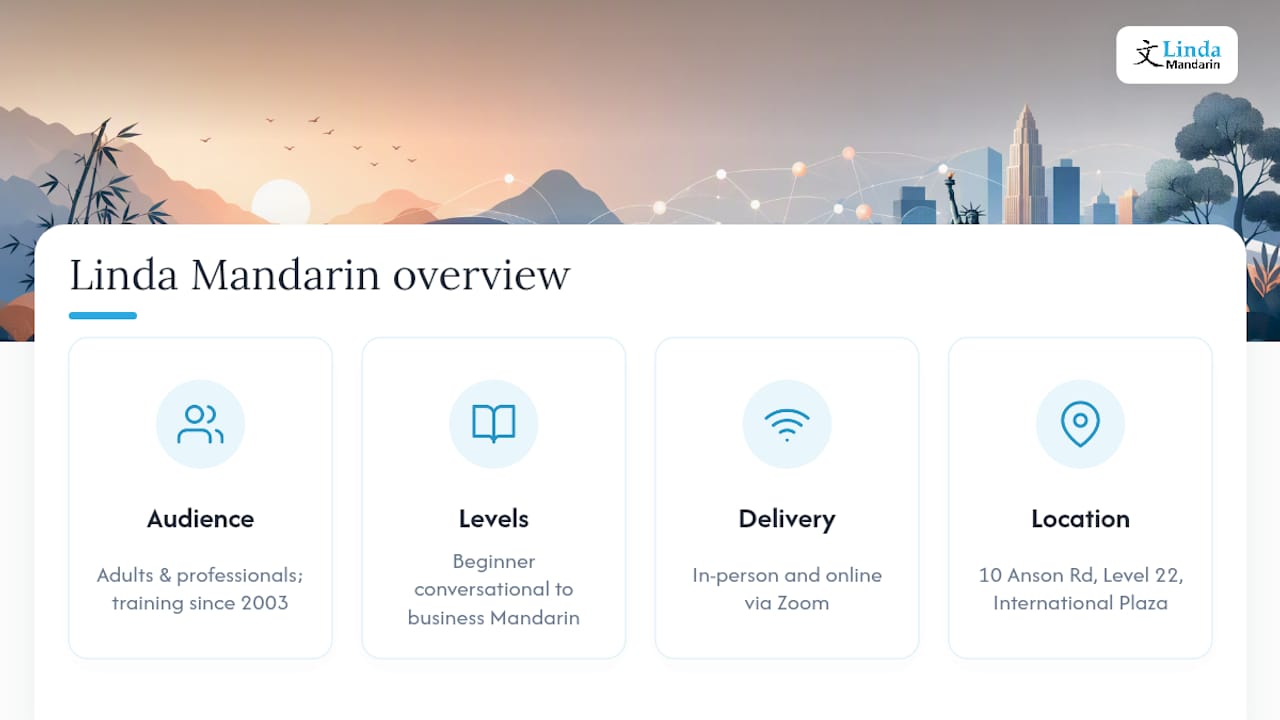
If you are an educator or professional looking to add Mandarin to your own skill set, the lesson-planning tools above help you teach. Linda Mandarin helps you learn. Since 2003, Linda Mandarin has delivered structured, practical Mandarin training for adults and professionals in Singapore, with courses running from beginner conversational Mandarin through to business Mandarin for professionals. Classes run in-person at 10 Anson Road, Level 22, International Plaza (right above Tanjong Pagar MRT), and online via Zoom for learners who prefer flexible scheduling.
The curriculum is designed around real communication, not rote memorization. Whether you are preparing for a professional role that requires Mandarin, or building conversational fluency for personal reasons, the adult Mandarin programs are structured to move you forward at a pace that fits a working schedule. Group classes, private lessons, and corporate training are all available. Browse the course levels and book a trial class at Linda Mandarin to see where you fit.
FAQ
What is the best free alternative to lessonplan.com.sg?
Share My Lesson is the strongest fully free option, with a community of over 2.1 million members, CCSS and NGSS alignment, and professional development webinars included at no cost.
Which platform is best for ESL lesson planning?
BusyTeacher is built specifically for ESL and EFL teachers with a large free worksheet library. Share My Lesson also has a dedicated ESL section, and Bridge Education lists 17 sites with free ESL lesson plans for additional resources.
Does Education Copilot really align to Common Core standards?
Yes. Education Copilot’s AI lesson plan generator claims alignment to CCSS, NGSS, TEKS, and state standards, and exports plans directly to Google Docs, Word, or PDF. Teacher review of the output is still recommended before classroom use.
How do I migrate my lessons from lessonplan.com.sg without losing content?
Export all lesson files in an editable format (Google Docs or Word), save supplementary assets like slides and worksheets independently, then test one full unit in your new platform before migrating everything.
Is Planbook worth paying for if free tools exist?
Planbook earns its cost if your school requires standards-tagged curriculum coverage reports for administrators. For individual teachers who only need a personal planner, the free tools above cover most needs.
Useful sources and where to go next
- AI Lesson Plan Generator | Free AI Lesson Planner for Teachers
- Lesson Plans & Worksheets for School Teachers | Lesson Planet
- Teaching Resources & Lesson Plans | TPT
- Share My Lesson | Free Lesson Plans & Teacher Resources .
- 17 Sites With Free ESL Lesson Plans + How to Create Your …
- busyteacher.org
- Lesson Plans for Teachers – Free Lesson Plans > LessonPlans.com
- Planbook – AI Lesson Plan Creator for Teachers